OutSized search can find posts, profiles, collections, series, and site pages. Start with ordinary words, then add fields when you need to narrow the results.
Search is available to signed-in members from the magnifying glass in the site navigation.
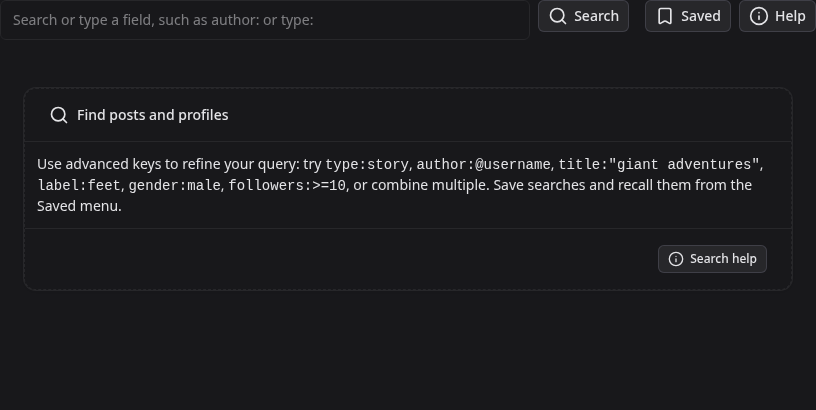
Build a search
- Enter ordinary words to search titles, descriptions, profiles, and indexed content.
- Type part of a field name, such as
aut, and selectauthor:from the suggestions. - Select a suggested value or finish typing one yourself.
- Add more words or fields, then select Search.
Completed fields become chips. Remove a chip to broaden the search. Use quotation marks around values containing spaces, such as title:"giant adventures".
Post and content fields
type:limits results to a post type, profile, or static page. The composer lists every supported type.author:finds posts by contributor username or display name.contributor:is an alias.title:matches title or description text. Quote a value for a phrase match.tag:andlabel:limit posts by taxonomy.forum:limits thread results to a forum.followed:trueonly shows posts from creators you follow.
Date, count, and sorting fields
since:2026-01-01anduntil:2026-12-31set date boundaries.after:andbefore:are aliases.likes:andcomments:accept exact counts, comparisons such as>=10, or ranges such as10..50.sort:new,sort:likes, andsort:commentschange the result order. Without a sort field, results use relevance.
Profile fields
Start with type:profile when you only want members. You can then filter by username:, name:, bio:, location:, verified:, or avatar:. Profile search also supports appearance and identity fields shown by the composer, plus numeric ranges for followers:, following:, posts:, height:, and weight:.
Examples to try
type:story label:feet sort:likesfinds popular stories with a label.type:thread forum:general followed:truefinds threads in a forum from people you follow.type:profile location:"Seattle" pronouns:he/himnarrows profile results.type:asset tag:city likes:>=10finds well-liked reusable assets with a tag.
Save and revisit a search
Open Saved and choose Save current search to give the current query a name. The same menu also keeps recent searches so you can quickly repeat one without rebuilding it.